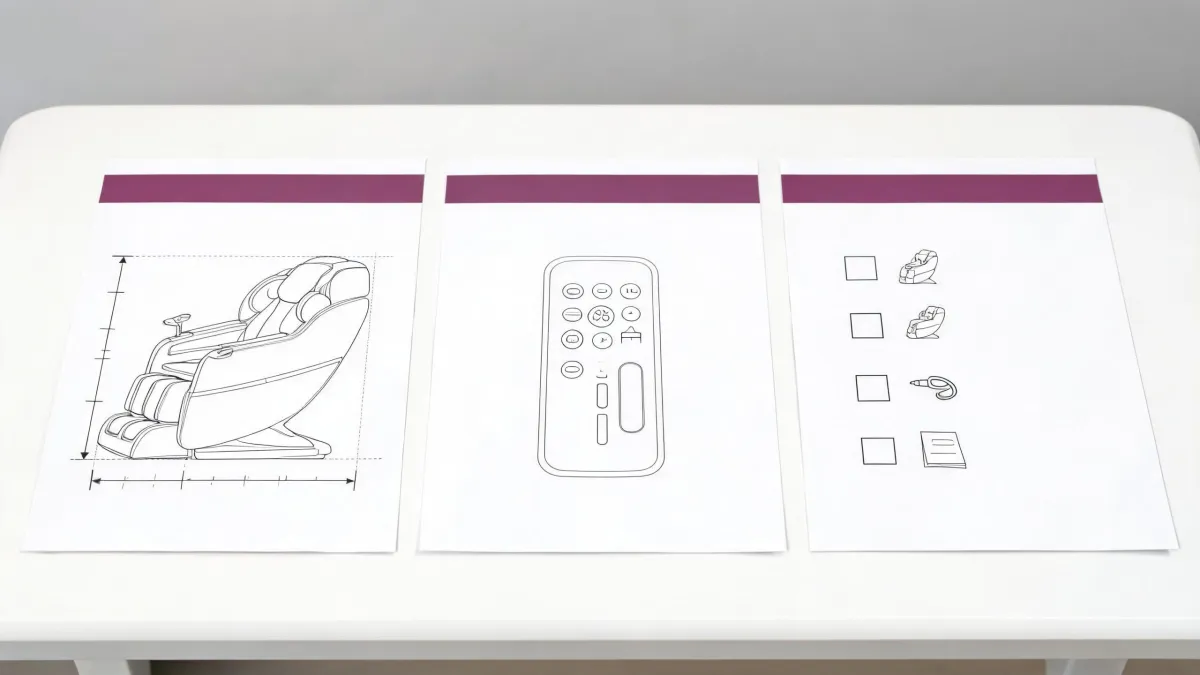
I had the Super Novo 2.0 Use & Care PDF open and a handoff sheet beside it, writing first-session notes for a small office. I was not testing the chair; I was reading the manual as an operations lead does when downtime costs more than setup.
The point is narrow and model-specific. On the Human Touch Super Novo 2.0, the shoulder line from AcuPoint body sensing is a starting guess, not a verdict. The manual places an adjustment step right after sensing, so a new owner can correct a line that feels too high or too low before judging a program. That is the difference between a fair first session and a service call based on a bad setup.
What AcuPoint Leaves on the Screen
When AcuPoint Body Sensing is complete, the ACUPOINT ADJUST SHLDR HGT ADJUST screen displays. The manual then says to use the remote POSITION buttons to adjust the shoulder height, if desired. That wording matters: the screen does not present the sensed line as final. It hands the user a documented adjustment while the session is still in setup.
I read that sentence three times to see whether "if desired" meant optional or conditional, and I found nothing else in the section that makes the adjustment mandatory. The practical gain is a cleaner first test. A shoulder line set too high or too low can make correct massage work feel aimed at the wrong place, so checking the line before the program starts keeps a setup mismatch from looking like a mechanical fault.
A mistake here is small but expensive: skipping the check, starting a program, and then treating the first odd sensation as evidence that the chair needs a technician. The manual does not support that leap. It supports using the POSITION buttons, then judging the program on a shoulder line you have actually looked at. I make no claim about how accurate the sensing pass is on any particular body; the useful claim is only that the manual leaves room to adjust.
Manual Mode and the 1 to 9 Shoulder Scale
There is a second route. If the AcuPoint setting on the SETTINGS menu is set to MANUAL, the SHOULDER screen displays. The manual says to set the shoulder height to the desired position, ranging from small (1) to large (9). The source uses "small" and "large," so I treat the scale as a size-oriented position selector, not a body-height chart. No mapping from a person's height to a number appears in the captured manual pages, and I will not invent one.
The difference between the routes is where the decision sits. With sensing, the adjustment comes after the automatic pass. With MANUAL, the shoulder decision comes after a menu choice and before the program starts. That changes the handoff. The person at the remote is not merely correcting a result; they are choosing the starting condition.
I prefer the MANUAL route when I am writing a handoff for one regular user: set AcuPoint to MANUAL in SETTINGS, land the shoulder position on the 1 to 9 scale, then start the program, because it saves a return trip to the same setting before every session. That preference flips in a shared chair with very different builds; there, leaving automatic sensing in place and using the post-sensing adjustment is usually less work, because each person starts from a fresh sensing pass rather than inheriting someone else's number.
I checked the two screens side by side and found they are not the same control reached two ways. One appears after sensing; the other follows a menu choice. Treating them as interchangeable is how a handoff note becomes vague. Naming the route and the shoulder setting is what makes the note useful.
The Full Pass From Power-On
The full pass from power-on is short when kept in the manual's order. Choose the AcuPoint route in SETTINGS: automatic sensing that leads to the adjust screen, or MANUAL that leads to the SHOULDER screen. Let that step resolve, then settle the shoulder position with the remote POSITION buttons or the 1 to 9 setting. Only after the shoulder line is chosen do you start the program that shapes the massage.
The order is the improvement. If the shoulder line is settled first, the first session is judged on a fair setting. If the program is started first, the user forms an impression while the shoulder line is still wrong, and every later judgment is colored by that first pass. The consequence is not mechanical damage in anything the manual describes; it is a bad test that can trigger an unnecessary service request.
I walked the sequence against the manual page order and found the shoulder step always precedes program start, never sits inside it. That is why I do not treat a program change as the first fix for a shoulder complaint. The shoulder decision is outside the program, so it should be handled outside the program.
The Leg Scan Starts Later
The leg scan belongs to a later moment. Shortly after the massage begins, the foot/calf massager extends and retracts to measure leg length, and the program then uses that information to tailor the massage to leg length. That happens after the program starts, while the shoulder decision happens before it. The leg measurement and the shoulder decision are not competing for the same instant, and one does not override the other.
This matters for troubleshooting. If a first session feels off, do not blend the leg measurement and the shoulder setting into one "auto-fit" idea. They are separate steps with separate timing, and they answer different questions. The shoulder setting answers where the upper body work should begin. The leg measurement answers how the foot and calf section should fit the user's leg length.
I noticed the manual places these two steps in different parts of the flow, which is why I did not describe them as one button. The improvement for a handoff is simple: the note can say the shoulder line is set before the program, and the leg fit is handled by the chair after the program begins. Anyone who wants to re-check shoulder position should expect to do it before the leg measurement starts, not during it.
Readjusting Without a Service Call
Most shoulder-height complaints that come from a new setup can be handled at the remote. If the line feels off across a whole session, use the documented levers first: the post-sensing POSITION adjustment, or the MANUAL 1 to 9 setting. Trying those before calling for service protects the maintenance budget from a setup problem that never needed a technician.
The line between self-fix and a manufacturer question is whether both documented routes have been used. If the shoulder behavior stays inconsistent after the post-sensing adjustment and after the MANUAL setting, the honest next step is a question to the manufacturer about this exact model. The manual captured here does not describe resets, repairs, parts swapping or extra calibration, so I would not invent them to look thorough.
Imagine two people of clearly different builds sharing one chair. Each handoff may rewrite the same shoulder setting, and the next person may read that as inconsistency. That is a scheduling and handoff problem, not a fault. A short note with the preferred route and the current shoulder position gives the next user a fair starting point and gives maintenance a cleaner question if the problem persists.
I checked the captured pages for another shoulder control beyond these two routes and found none. That is a useful limit: when the documented controls are exhausted, more remote work is guessing. The operational gain is knowing when to stop adjusting and ask a model-specific question.
What This Manual Page Cannot Promise
This source is a manufacturer Use & Care manual for the Human Touch Super Novo 2.0 only. The screen names, shoulder-adjustment steps and the 1 to 9 range stay bound to that model and that manual version. The page does not establish personal therapeutic benefit, does not replace an independent clinical study of this model, and says nothing about another brand's similarly named sensing or adjust feature.
The defensible reading is comfort-and-fit control. Treating the shoulder setting as treatment positioning goes beyond the document. For a buyer comparing chairs, the useful comparison is documented controls and their stated limits, not the confidence of a marketing label. A chair that tells you where the shoulder line is set, and what can be changed, is easier to operate than one that leaves the user guessing, but that is an operations judgment, not a medical claim.
The objection I expect is this: if I nudge the shoulder height myself, have I undone the AcuPoint sensing? The manual answers by placing the shoulder adjustment immediately after sensing as an optional step on the POSITION buttons. It is a documented part of the flow, not a workaround. The remaining trade-off is about when to stop: once both documented routes have been used and the line still will not settle, more nudging is guessing. At that point the issue is a model-specific question for the manufacturer, not another round at the remote, and nothing on this manual page turns the setting into a therapeutic promise.

Leave a sourcing question